

In Short:
- AI in instructional design isn’t about automating content—it’s about designing smarter, more adaptive learning experiences.
- Learners need space to reflect, practice, and grow—not just more information. AI helps shift from content delivery to real engagement.
- The opportunity isn’t faster production—it’s using AI tools for instructional design to create learning that feels relevant, human, and effective.
It’s not just a faster way to design. It’s a smarter way to create.
We’ve all spent years perfecting the art of tightly scripted, tightly scoped learning. Every slide reviewed, every word vetted, every interaction safely boxed in. But AI in instructional design changes the equation. It flips our carefully built tables and says, “Cool course. But what if we made it… useful?”
This isn’t about cranking out faster content. It’s about designing learning that actually feels like learning. Let’s talk about what that really takes.
1. Shift from Content Creator to Experience Architect
If your learning design muscles are all built around scripting every word and locking down every click, AI is going to stretch you. A lot.
Designing with AI in instructional design isn’t about crafting the perfect sentence. It’s about building a situation that sparks reflection, judgment, and growth. You’re not writing a story, you’re setting the stage for one.
Think more coach, less narrator. Less “click next,” more “what would you do here?” It’s about designing the conditions for a conversation you won’t be present for, but still want to guide.
And here’s the kicker: You don’t get to control how the learner responds. You have to plan for the emotional stuff too – the hesitation, the pushback, the overconfidence. That’s where AI and learning can shine… if you’ve designed for it.
✅ Examples:
- A new hire sets a professional goal. The AI analyzes their input, checks it against SMART criteria, and offers suggestions to improve clarity and alignment with team goals. If the goal is vague (“be better at communication”), the AI responds with a coaching prompt like, “What specific aspect of communication are you looking to improve?”
- In an operations delay scenario, the learner explains their next steps. The AI identifies gaps in stakeholder communication and recommends alternatives, saying things like, “Who else on the team needs to be informed?” or “What are the potential risks if this delay isn’t addressed immediately?”
- A leader reflects on a tough decision. The AI guides them through a structured model like “What? So What? Now What?” and follows up with deeper questions such as, “What would you do differently next time?”.
Bottom line? Stop thinking, “I need to teach everything.” Start thinking, “How do I create a space where they’ll actually learn something?”
2. Solve the Real Problem. Practice, Not More Content
Nobody has ever said, “I wish there were more compliance courses in my inbox.”
L&D doesn’t have a content problem. We have a practice problem. We keep feeding learners information and wondering why performance doesn’t improve. Spoiler: knowing isn’t doing.
This is where AI that engages comes in. It creates space for people to practice things, reflect, fail safely, get coached, and try again. You know… learning.
✅ Examples:
- A customer service rep enters how they’d handle an angry customer email. The AI evaluates tone, empathy, and resolution strategy, offering coaching like, “Try acknowledging their frustration earlier” or “How could you turn this into a moment to rebuild trust?”
- A sales rep drafts an outreach message. The AI checks for clarity, personalization, and relevance to the product and persona. If the message is too generic, the AI might say, “Consider referencing a specific challenge this persona is likely facing.”
- In a compliance scenario, the learner explains their decision in a gray-area situation. The AI doesn’t grade—it evaluates the learner’s reasoning and flags potential risks, saying things like, “This could put you in conflict with policy X. How might you handle it differently?”
Let’s stop wrapping the same old content in shinier wrappers. Design for doing, not just knowing.
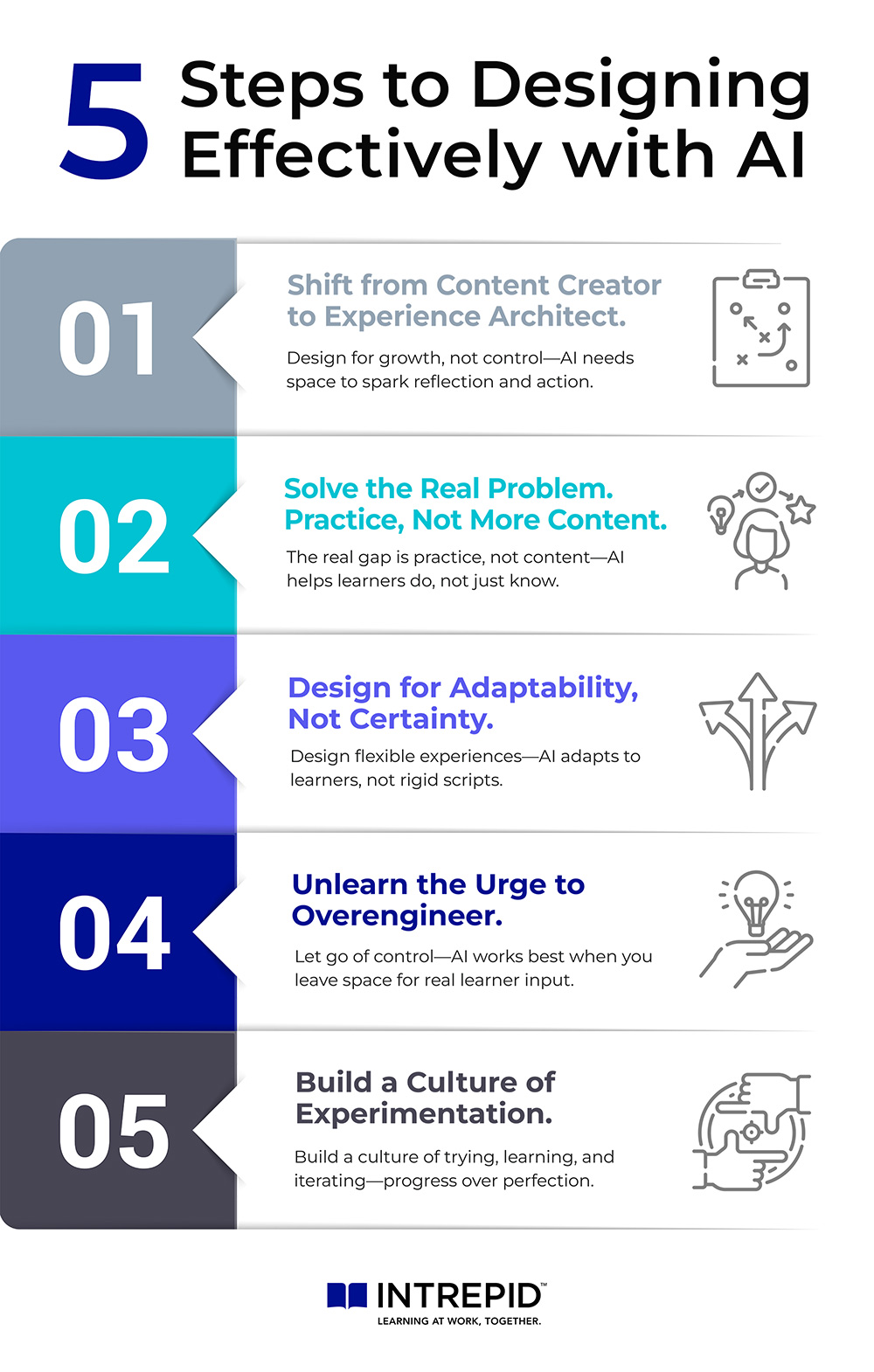
3. Design for Adaptability, Not Certainty
Designing with AI in learning and development means making peace with uncertainty. If you need to know exactly what every learner is going to click, say, or type… well, this is going to be a rough ride.
The beauty of AI and instructional design lies in its responsiveness. You don’t need to predict every learner action. Instead, build flexible environments where AI adapts to what learners actually do—not what you thought they might do.
✅ Examples:
- A learner responds to a biased comment in a DEI scenario. The AI detects the tone (e.g., defensive vs. assertive) and tailors its feedback. For an overly aggressive approach, it might prompt, “How could you approach this more constructively while still addressing the issue?”
- An engineer outlines how they solved a technical issue. The AI reviews the steps for logic and sequencing. If steps are skipped or assumptions made, it might respond with, “What did you check before jumping to that solution?”
- A manager describes their strategic priorities. The AI evaluates how well those priorities balance short-term wins with long-term goals and challenges assumptions by asking, “How does this align with your broader business strategy?”
This is where AI in L&D really earns its keep. Not by being perfect, but by being present. Responsive, relevant, and always pushing the learner just a little further.
4. Unlearn the Urge to Overengineer
In old-school eLearning, success meant controlling everything. You were rewarded for airtight scripting, flawless flows, and buttoned-up everything. But with AI? That urge to overengineer just gets in the way.
If your AI Activity feels stiff, over-scripted, or reads like it was written by a committee… it probably was. And the learner feels it too.
Great AI experiences leave space. Space for thought. Space for emotion. Space for a learner to bring their own context. That’s where the magic happens. Not in the polished paragraph, but in the messy, real response that follows.
✅ Examples:
- “Tell me about a time you avoided a hard conversation.” The learner responds in their own words. The AI analyzes the emotional tone, identifies avoidance patterns, and responds with coaching prompts like “What made you hesitate?” or “How might that conversation have gone if you’d addressed it directly?”
- “How would you handle a team member consistently missing deadlines?” The learner describes their approach. The AI picks up on whether they’re leaning toward micromanagement, passive tolerance, or accountability—and tailors its feedback accordingly.
- “What’s your next career move?” The AI doesn’t just listen. It challenges vague answers (“Grow as a leader”) and helps the learner clarify steps, identify gaps, and set a timeline based on their input.
Sometimes the best design choice is to get out of the way.
5. Build a Culture of Experimentation
This stuff is new. You’re not supposed to have it all figured out. The designers who win with AI-powered learning experiences are the ones who treat it like a playground, not a pressure cooker.
Start small. Try things. Learn. Fix. Repeat. You don’t need to launch the perfect solution, you need to launch something and learn from it.
If you’re leading a team, take the pressure off. You don’t need every prompt to be poetic or every scenario to be bulletproof. Give your designers space to experiment and build confidence.
✅ Examples:
- A talent team pilots an onboarding AI Activity. Learners reflect on a leadership principle. The AI tracks common patterns and flags where learners are stuck or unclear, helping designers adjust prompts for clarity or depth.
- Two versions of a reflection activity are tested: one open-ended and one using a coaching model. The AI tracks which version drives richer, more actionable responses. The L&D team uses AI and human insight to inform future design.
- Customer success reps use an AI prep tool before client meetings. The AI reviews their input, detects lack of focus or over-explaining, and suggests rewrites like, “What’s the key takeaway you want the client to remember?” Designers iterate based on real-world usage.
AI speeds up the feedback loop. Don’t waste that by trying to be perfect out of the gate. Build, launch, learn, repeat. That’s where the real value shows up.
Final Thoughts on AI and Instructional Design
AI isn’t here to save you time on PowerPoint slides. It’s not here to automate your eLearning backlog or crank out 57 flavors of the same compliance course. And if that’s all you use it for? You’re missing the point.
This is the moment to explore what AI in instructional design makes possible. This technology gives us a shot at doing something far more valuable: designing learning that actually works. Learning that feels real. Learning that adapts. Learning that helps people think, stretch, and grow in ways static content never could.
So instead of asking,
“How do I plug AI into what I already do?”
Ask,
“What could I build now that I never had the tools to build before?”
Because that’s where the opportunity is. Not just in going faster. Not in cutting corners. But in finally doing the things that matter most—at scale.
- Want to create personalized coaching at a fraction of the cost?
- Want to help learners practice in real-world scenarios, not just memorize bullet points?
- Want to stop wasting time designing content no one applies?
AI can help with all of that. But only if we stop treating it like a faster content factory—and start treating it like the opportunity it is.
This isn’t the time to do more of the same. It’s the time to design better. Smarter. Bolder.
Let’s not waste it.
Using AI in instructional design means we can design for practice, adaptability, and emotional resonance at scale. Want to see how Intrepid is doing it? Check out our AI Activity feature →
Frequently Asked Questions About AI in Instructional Design
Will AI take over instructional design?
No. AI won’t replace instructional designers—it will support them. It handles routine tasks and enables more adaptive learning, while humans focus on strategy, creativity, and learner experience.
How is AI being used in instructional design?
AI is used to create interactive, personalized learning experiences. It prompts reflection, analyzes learner input, and delivers real-time coaching to improve engagement and outcomes.
How will you use artificial intelligence in designing your instructional plans?
Use AI to build practice-based activities, guide learner reflection, and adapt feedback in real time. It shifts design from content-heavy to experience-rich and responsive.